 |
Zoho Projects is #11 in Top 10 Project Management software
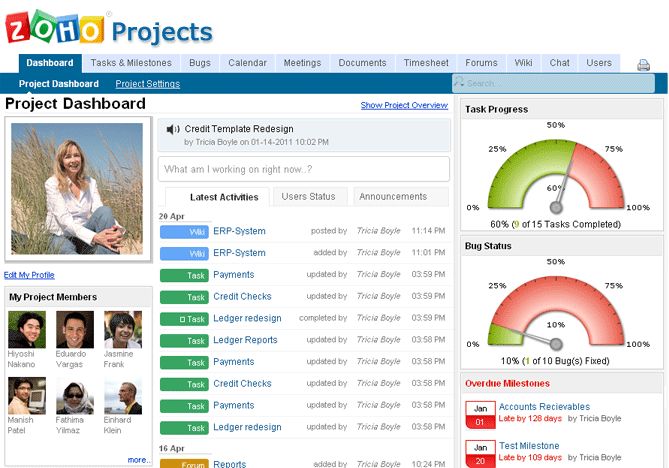
Zoho Projects is an online project management software with collaboration and bug tracking that allows project teams to collaborate and get work done faster. Planning and Tracking helps you keep your project on schedule. Collaboration helps improve the communication within the team. And the Bug Tracking module allows you to track the bugs that software projects are bound to generate and fix all bugs in time.
Positions in ratings
#11 in Top 10 Project Management software
Alternatives
The best alternatives to Zoho Projects are: Asana, Trello, Zoho Sprints, Clickup, Monday.com, Notion, JIRA, Teamwork, Microsoft Project, Smartsheet
Latest news about Zoho Projects
2020. Zoho Projects gets improved Gantt chart
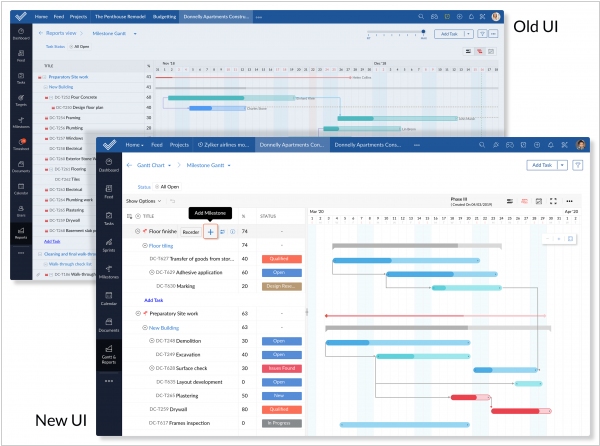
Zoho has enhanced and revamped the Gantt chart feature within Zoho Projects to offer enhanced capabilities, streamlining the workflow process. Notably, in the updated user interface, unscheduled tasks are conveniently organized under the "unscheduled" tag, preceding the actual timeline. By simply dragging and dropping an unscheduled task onto the timeline, it will be automatically scheduled. Additionally, the new "Full Screen" view enables users to concentrate on crucial yet seemingly minor details by maximizing the utilization of screen space. Moreover, it is now possible to customize the displayed data within the Gantt chart's taskbars, including information such as start/end dates, task owners, overdue status, and task names.
2019. Zoho brings Zia AI assistant to its project management app
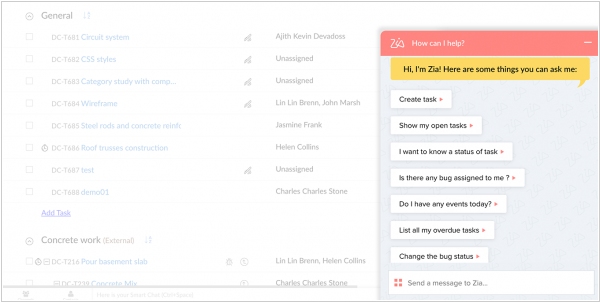
Zoho's AI-based chatbot, Zia, has now been integrated into Zoho Projects, enabling streamlined activities within the platform. With its conversational interface, Zia provides immediate responses to inquiries regarding tasks, issues, and events modules in Zoho Projects. Additionally, Zia can offer suggestions and recommendations based on your project-related activities. For instance, if you're pressed for time and need to quickly access your upcoming events, you can simply chat with Zia and request, "Zia, list my upcoming events." In response, Zia will promptly provide a list of all your upcoming events. Furthermore, you can ask Zia for task and issue details, such as information on active tasks, task status, task due dates, unassigned tasks, overdue tasks, user details, tasks within a task list, and similar issue-related information. Zia aims to enhance user productivity and efficiency within Zoho Projects by delivering instant and relevant assistance.
2018. Zoho Projects gets enhanced Gantt chart
Zoho has introduced several enhancements to its project management application, Zoho Projects. These upgrades include an advanced Gantt chart that supports all four types of task dependencies, the ability to create custom views for tasks, and much more. The integration with Zoho People allows for the seamless incorporation of vacation or time-off details of team members into Projects, ensuring that tasks or bugs are not delayed when they are unavailable. Additionally, task and bug timers can now be paused and resumed, eliminating the need to restart from the beginning. The integration with Zoho Meeting enables users to conveniently initiate online team meetings by simply clicking "Meet Now" on the Task Details page, facilitating effective communication for clarification, problem-solving, or decision-making. It's worth noting that Zoho had previously launched another project management tool, Zoho Sprints, in October of the previous year.
2017. Zoho Projects 6 brings new customization opportinities
Zoho has introduced an updated version of its project management tool, Zoho Projects 6, designed to provide greater flexibility in meeting various project needs. This release incorporates several new features, including the ability to create custom fields and custom statuses for tasks, the availability of layouts as project templates, options to set custom logos and domain names, advanced task reporting capabilities, a revamped task details page, a consistent design across all modules, an improved and searchable setup page, reports based on custom fields, a Kanban view organized by task status, and enhanced task filtering functionality. These updates enable users to tailor Zoho Projects 6 to their specific project requirements while improving the overall project management experience.
2016. Zoho Projects adds staff-based billing
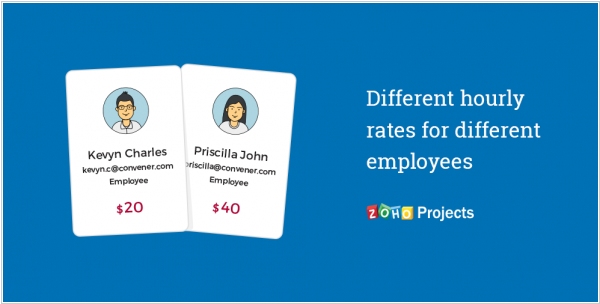
Project management service Zoho Projects has offered billing based on project hours since its inception, and it has now expanded its capabilities to include billing based on staff hours as well. You now have the ability to assign a specific rate to each of your employees, and this rate will be reflected in your invoices. For instance, in a project like organizing a concert where multiple users with different skill levels are involved in various tasks, it is essential to bill the client based on the staff hours. You can set different rates for each employee based on their skills and the nature of their work, ensuring that you accurately bill your clients for the services provided.
2016. Zoho Projects adds gamification layer

Zoho is introducing Gamescope, a gamification layer integrated across various products, starting with Zoho Projects. This exciting addition aims to transform mundane tasks into an engaging game for users. By completing tasks, closing tickets and deals, and resolving bugs, users can earn points, which are tracked in a scorecard. Similar to a basketball game, each game has a specific time frame. At the end of the game, individuals who accumulate the highest points are awarded trophies. Additionally, users can earn badges by achieving specific targets. The winners have the opportunity to proudly showcase their badges and trophies on their scorecard or individual profile pages, enabling them to share their accomplishments with others.
2015. Zoho Projects gets the power of Zoho Docs
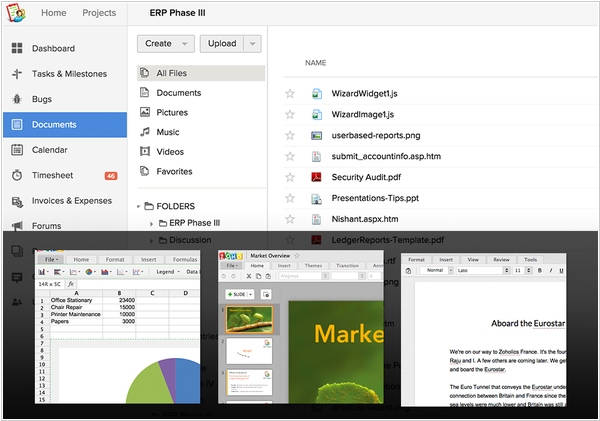
The Documents module within the project management application, Zoho Projects, has received a significant enhancement. Users can now create and collaborate on rich documents, spreadsheets, and presentations directly within the platform. This update, powered by Zoho Docs, brings several benefits to users. One notable advantage is the ability to co-create documents, allowing multiple team members to work on them simultaneously. Additionally, users can engage in real-time chat with collaborators directly within the document window. Obtaining feedback is made easy, as comments can be added to individual letters in text documents and cells in spreadsheets. Moreover, an integrated versioning system enables users to track the changes made to a document over time and, if necessary, revert to a previous version. These enhancements empower teams to collaborate efficiently and streamline their document management processes within Zoho Projects.
2015. Zoho Projects 5 brings new faster interface and useful features
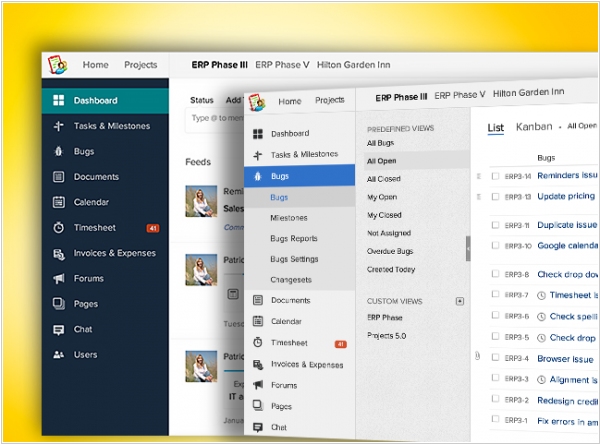
Zoho has released a new version of its popular project management app, Zoho Projects 5, featuring a revamped user interface (UI) that offers enhanced speed, visual appeal, and a full-screen design optimized for your display. Among the new features introduced in this version is the addition of Work Hours for tasks. Users can now set the specific number of hours for a resource, independent of the task's duration, with the flexibility to define it in various ways such as work hours per day, percentage of hours per day, or total work hours. Another notable addition is the SLA Automation feature, which ensures compliance with customer contracts by setting up automated escalations based on defined criteria. Additionally, Zoho Projects 5 integrates with the accounting system Zoho Books, enabling users to allocate budgets, record expenses, make edits, and view expense reports seamlessly within the Projects platform without the need to switch applications.
2014. Zoho Projects updates its Gantt Chart
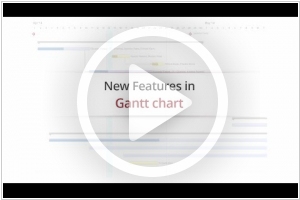
Zoho has introduced a series of exciting enhancements to the Gantt Chart feature in its project management service, Zoho Projects. The Gantt view now offers two distinct charts: the Chronology Chart displays task bars in sequential order, while the Milestone Chart provides an overview of milestones, allowing for a broader perspective. Now, you can conveniently view milestones, their associated task lists, and the tasks within them, all within a single location. Additionally, setting task dependencies has become more seamless within the Gantt Chart itself. Simply click and hold on a predecessor task bar, and drag it to the dependent task bar to establish the dependency. Furthermore, you have the flexibility to adjust the chart's viewing period to the current month, previous month, entire year, or a custom timeframe of your choice. Moreover, a new option called "project span" has been introduced, automatically displaying the chart based on the project's duration. These enhancements contribute to an enhanced project management experience within Zoho Projects.
2013. Zoho Projects adds mobile apps

Despite the availability of other options, Zoho Projects, the online project management service, continues to be a market leader due to its affordable pricing and robust functionality. Now, it has introduced mobile apps for both iPhone and Android, enabling users to work from anywhere, be it the mountains or a boat (as demonstrated in this video). The Zoho Projects mobile app offers real-time notifications for project team activities, task and document management, communication with colleagues through comments, and a time-tracker feature. Additionally, the app allows users to capture and share photos directly within the project, potentially replacing the need to type on a small phone keyboard. It's important to note that Zoho Projects offers a free version for a single project, while the paid version starts at $20/month for unlimited users.
2012. Zoho Projects 4.0 - beautiful like Basecamp
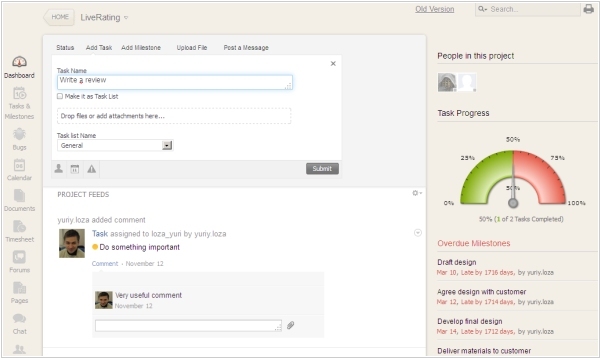
Typically, new versions of Zoho services come packed with a plethora of new features, as Indian developers strive to meet their clients' unique requirements. However, in the case of the latest release, Zoho Projects 4.0, the focus has shifted away from introducing new functionalities and towards enhancing design, usability, and speed. This approach is reminiscent of the project management trendsetter, Basecamp, whose best practices Zoho consistently incorporates into its own products. The revamped interface of Zoho Projects is refreshingly simple, aesthetically pleasing, user-friendly, and swift. Similar to the new Basecamp, it emulates a blank sheet of paper on a desktop and employs layered sheet effects. Of particular note is the project activity feed, which features a universal add-item form. This allows users to swiftly and easily add statuses, messages, tasks, and files. In terms of functionality, Zoho Projects remains one of the most robust solutions available. Alongside tasks and projects, it encompasses a bug tracker, time tracker, file storage with document editors, wikis, forums, and chat. Currently, the new interface of Zoho Projects is available alongside the old one, allowing users to select the version they prefer.
2010. Zoho Projects gets bug tracker
The bug tracker in Zoho Projects, an online project management and collaboration service, is attracting software companies due to its extensive functionality. It enables users to add bugs, assign owners, collaborate on bugs, and manage their statuses. The system offers flexible options for email notifications for different actions. Users can customize processes and rules to automate specific operations, such as automatically assigning a bug to another owner (e.g., a tester) and changing its priority when the issue status changes. However, it's important to note that the bug tracker is only available in the highest-tier subscription plan of Zoho Projects, priced at $699 per year, which includes 30 GB of storage and an unlimited number of users. Despite the cost, this subscription plan provides the most comprehensive online project management system available, encompassing project planning, calendar, tasks, file sharing, forum, chat, wiki, time tracking, billing, bug tracking, and reports. Furthermore, Zoho Projects seamlessly integrates with other Zoho services and Google Apps.
2009. Zoho Projects linked to Google Apps

Zoho continues to integrate its products with competitors. At that time the online project management service, Zoho Projects, was integrated with Google Apps. And it makes sense, as Google Apps don't provide own project and task management tools. So what has been done? First, customers can now login to Zoho Projects with the same username and password they use for Google Apps. Second, from now users can link their documents from Goolge Docs to the projects inside Zoho Projects (its interesting that Google still doesn't provide similar function in GMail and Google Sites, where it could be useful). ***
2009. Zoho released Zoho Projects 2.0
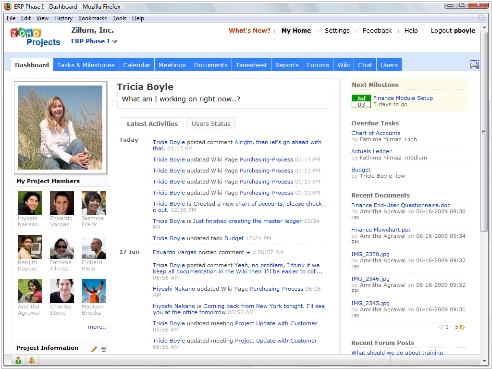
With the latest release, Zoho has seamlessly integrated Zoho Wiki with Zoho Projects. Additionally, they have introduced a Twitter-like status update feature within the application and integrated the Zoho chat functionality, enabling real-time interactions among team members. What sets Zoho Projects 2.0 apart from other online project management applications is its enhanced integration with the Zoho Office Suite. Companies can now provide their project teams with a comprehensive suite that includes online project management tools, wikis, social tools, and a complete office productivity suite, all without the hefty price tag. Some notable features of Zoho Projects 2.0 include project milestones, the ability to import from Microsoft Project, Project Stream (a visual representation that allows users to stay updated on the latest project activities), a shared Project Calendar, and a Project Dashboard that provides a quick and comprehensive overview of upcoming tasks, milestones, meetings, and other project-related activities.