 |
Google Sites is #5 in Top 10 Website building platforms
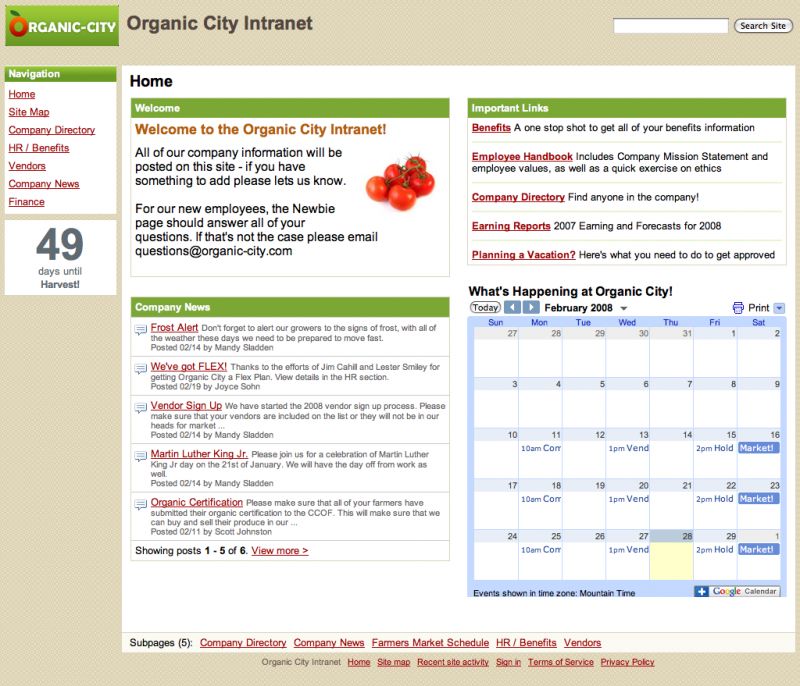
Google Sites is a structured wiki- and web page- creation tool offered by Google as part of the Google's Productivity suite. Unlike most alternatives Google Sites is free.
Positions in ratings
#5 in Top 10 Website building platforms
#9 in Top 20 Wiki software
Alternatives
The best alternatives to Google Sites are: WordPress, Wix, SharePoint, Squarespace, Weebly, Confluence, GoDaddy

See also:
Top 10 Website building platforms
Top 10 Website building platforms
Latest news about Google Sites
2018. Google Sites now lets you publish protected content
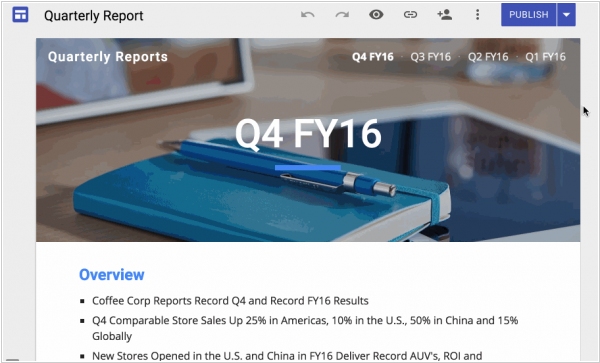
Google has introduced a significant update to its website-building platform, Google Sites, offering organizations greater control over content access. With this update, creators and administrators now have the ability to selectively choose who within their organization can view specific sites. By entering individual names in the "Invite People" box and selecting "Specific people can view when published" from the drop-down menu, organizations can determine the audience for their content. This update is particularly important as it enables organizations to maintain privacy and control over confidential information, thereby encouraging the adoption of the new Google Sites. Currently, this feature is available exclusively on the web, but Google has announced that it will be extending its availability to the Google Drive mobile apps on Android and iOS in the coming weeks.
2016. Totally rebuilt Google Sites features adaptive design and real-time collaboration
Google has introduced a completely revamped version of its intranet website builder, called Google Sites. This new iteration offers deep integration with Google's suite of tools, allowing for easy insertion of documents from Google Docs, Slides, Sheets, and other G Suite applications. Additionally, Google Sites now directly integrates with Google Analytics for comprehensive website analytics. Collaborative editing capabilities have also been introduced, leveraging the same technology used in Google Docs, enabling multiple users to work together on site content. Administrators have the flexibility to determine whether users can publish their sites publicly or restrict access to users within their own domain. With this update, the created pages on Google Sites automatically adjust to different screen sizes, ensuring optimal viewing experiences on various devices. The preview mode further simplifies the process of assessing site appearance on phones, tablets, and desktops. To assist users in achieving a professional look, Google has included six new themes to serve as starting points for website design.
2011. Google wants to mobilize business sites

For those businesses that still don't realize that the great majority of their customers coming (or would like to come) to their site via smartphones, Google launched the new initiative GoMo. This service allows you to see how your site looking in the mobile browser and find an appropriate service for building mobile site version (Google Sites is also in the list). Who should think about the mobile site version? First of all, it's online stores. Because browsing stores on a smartphone - is the most popular activity among those sitting in a toilet. Second, that are local businesses: cafes, restaurants, hotels, shops, medical services, hair salons, car repair ... - all the things that city visitor or local inhabitant may need. ***
2011. Google Sites now allows to create mobile landing pages
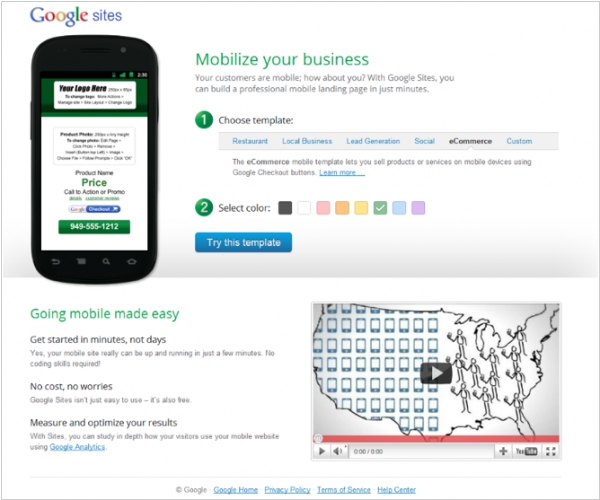
Google is introducing a new feature in Sites that enables users to create a free, simple mobile landing page. Similar to the templates available for Google Sites web pages, Sites for Mobile provides users with a selection of templates tailored to their specific needs. For instance, there are e-commerce templates for users who wish to create a mobile site for selling products using Google Checkout. Google also offers customized mobile templates for local businesses, restaurants, lead generation, and social purposes. These mobile sites allow businesses and users to integrate their Facebook, Twitter, YouTube, LinkedIn, and other social media accounts. Additionally, users can include features such as phone numbers, directions to their business, coupons, menus, and more. Businesses will also have access to analytics to track the traffic to their mobile sites.
2010. Google Sites vs Zoho Projects for project management in Google Apps
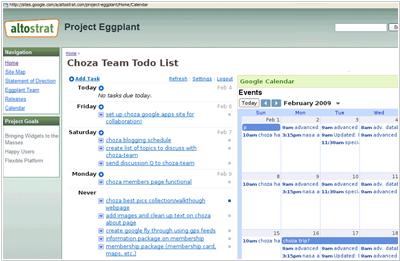
As you know, Google Apps has no specialized project management solution, and this is very disappointing, as there are many other useful utilities for online workgroups there. However, there are three tools that can be used to solve this problem. And the first of them is Google Sites. You can use Google Sites to manage one large project, or create a site for each small project in it (there are even some templates for project sites). Since Google Sites is, in fact, a wiki, you can easily work with the project documentation there. In addition, Google Sites allows you to embed group calendar (Google Calendar), task list (Google Tasks) and documents from Google Docs. All these elements are very useful for project management, but of course, task collaboration in this solution - is the weakness. ***
2009. Google Sites takes on Sharepoint (Seriously)
As was promised by Data Liberation Front, Google opens access to the data stored inside its intranet-service Google Sites. It's implemented in a form of Google Sites API. So, from now, users shouldn't worry that they can't backup or import their data in a suitable format. But "data liberation" is not the main reason why Google Sites API was created. It's rather a necessary move to survive. Because Google is developing all these business tools not to make money, but to compete with Microsoft and to draw its attention from the search/advertising market. And if Google Sites doesn't rival its antipode - Sharepoint, it has a chance to be dismissed. ***
2008. Google launches Google Sites
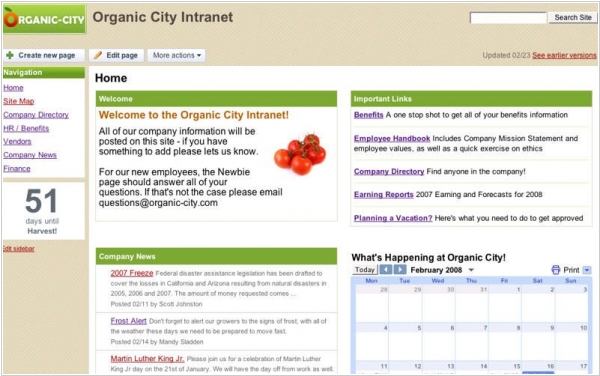
Wikis, such as Wikispaces, have tremendous potential for usefulness. However, collaborative groups have been slower to embrace them for reasons unknown. It comes as no surprise that Google, recognizing this opportunity, entered the scene by acquiring Jotspot in 2006. We've been eagerly awaiting how Google would revolutionize wikis and make them accessible to everyday users. With the introduction of Google Sites, the company has launched its first service exclusively for Google Apps. Users familiar with creating or editing Google Docs will feel right at home in Google Sites. One significant advantage over most wiki applications is that users are not required to know any markup language to edit pages. Google Sites incorporates the familiar WYSIWYG (What You See Is What You Get) toolbar from Google Docs. Similar to Google Docs, you have the flexibility to share your Google Sites within your organization, with the public, or keep them private. The entire application environment is clean, user-friendly, and non-intimidating, making it accessible even to those who have never edited a website before.
2006. Google buys JotSpot
Google has recently made an acquisition of the wiki service JotSpot. JotSpot stands out among the earlier generation of wikis as it offers a more user-friendly writing experience. Unlike the initial wikis that required writing links and formatting using wiki code, which differs from standard HTML and working with WYSIWYG word processors like Word or Google Docs, JotSpot simplifies the process. The emergence of WYSIWYG wikis, such as Basecamp's Writeboard, has made collaborative document creation within a group almost as effortless as using a word processor. This development poses a challenge for Microsoft and other productivity suite companies like Zoho and Thinkfree, who will need to find ways to respond. Microsoft, in particular, may encounter difficulties as long as it continues to rely on its existing user base of Office software users.