 |
Google Calendar vs Zoho Calendar
September 10, 2023 | Author: Adam Levine
11
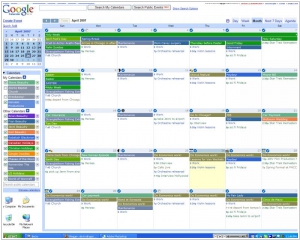
Google Calendar is a free time-management web application offered by Google. The Ajax-driven interface enables users to view, add, and drag-and-drop events from one date to another without reloading the page. It supports view modes such as weekly, monthly, and agenda. Google Calendar allows multiple calendars to be created and shown in the same view. Each can be shared, either read-only or with full edit control, and either with specified people or with everyone (public calendars).
3
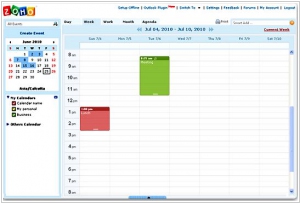
Zoho Calendar allows you schedule, manage and track your meetings and events. Groups and teams can easily share their planned activities so everyone is on the same page, and with Zoho Calendar's powerful sharing controls, you can share only what you want to. In addition, Zoho Calendar also gives you an unified view across many Zoho Apps, from Zoho CRM appointments to Zoho Projects deadlines.
Google Calendar and Zoho Calendar are both popular calendar applications, but they have distinct differences in their features and approach. Google Calendar is a web-based calendar that offers seamless integration with other Google services, such as Gmail and Google Drive. It provides features such as event scheduling, reminders, shared calendars, and integration with other third-party applications. Google Calendar is known for its user-friendly interface, simplicity, and extensive collaboration options. On the other hand, Zoho Calendar is part of the Zoho suite of productivity tools and offers features such as event management, task tracking, shared calendars, and integration with other Zoho applications. Zoho Calendar emphasizes organization, efficiency, and integration with the broader Zoho ecosystem. It is suitable for individuals and businesses looking for a comprehensive suite of productivity tools.
See also: Top 10 Productivity software
See also: Top 10 Productivity software
Google Calendar vs Zoho Calendar in our news:
2023. Gmail brings in Calendly-style availability sharing from Google Calendar
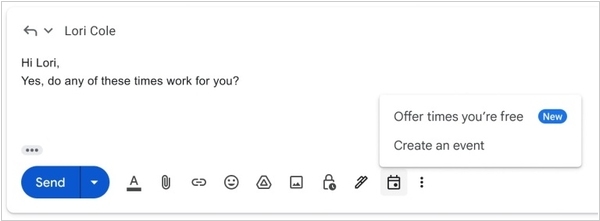
Google has introduced additional functionalities to Gmail that pertain to scheduling, in conjunction with Google Calendar integration. These new features include the ability to swiftly create events and easily share availability. In the conversation view of Gmail, a calendar icon now resides at the bottom, offering two options: "Create an event" and "Offer times you're free." The "Create an event" button functions straightforwardly by generating a Google Calendar event, with the email subject serving as the event name and the email recipients as participants. Moreover, it produces a meeting summary within the email body, enabling efficient sharing of meeting details. While this feature was previously accessible within Gmail's three-dot menu, it now boasts greater prominence and accessibility.
2021. Zoho unveiled new and improved Zoho Calendar

Zoho has introduced the brand-new Zoho Calendar featuring a completely revamped interface and a range of new functionalities. Serving as a unified calendar, it simplifies scheduling across all Zoho applications. The Smart Add and App calendars have been integrated into a clean and intuitive interface, facilitating smoother schedule management for your teams. In addition to its refreshed appearance, the updated interface offers contemporary display themes and a dark mode option for night owls. Notable new features include secondary time zone support, advanced event search capabilities, and resource booking. The resource booking feature provides an overview of all conference rooms in your office, including details about available resources and facilities in each room.
2018. G Suite apps and Google Calendar are getting Gmail’s side panels
The new Gmail boasts a notable feature: a convenient quick-access side panel that provides easy navigation to Google Calendar, Tasks, Keep, and Gmail extensions. Now, Google is extending this functionality to other applications within the G Suite, including Google Calendar, Docs, Sheets, Slides, and Drawings. In Google Calendar, users will have swift access to Keep and Tasks, while in the remaining G Suite apps, they will enjoy easy access to Calendar, Keep, and Tasks. G Suite subscribers on the rapid release schedule can already access this feature, while those on the slower release schedule can expect access within two weeks.
2018. Google Calendar gets an Out of Office mode
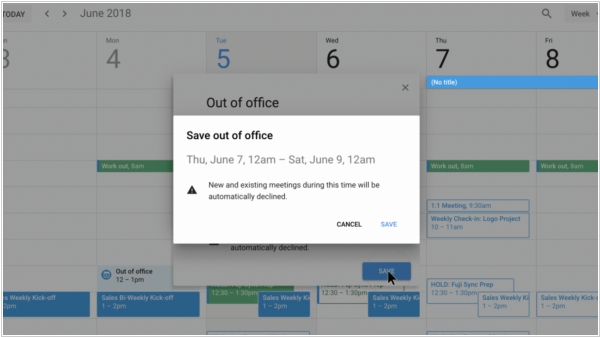
Google Calendar has introduced two new features: an "Out of Office" feature and customizable working hours. By setting working hours, you can indicate your availability to others, and Google Calendar will automatically decline meeting requests that fall outside of these designated hours. When creating an event using Google Calendar on the web, you now have the option to select the "Out of Office" calendar entry type. For instance, if you are scheduling your vacation dates, you can mark the event as "Out of Office." During this period, if others send you meeting invitations, Google Calendar will automatically decline them, without requiring your intervention.
2018. Google Calendar now lets you add a message when you change an event
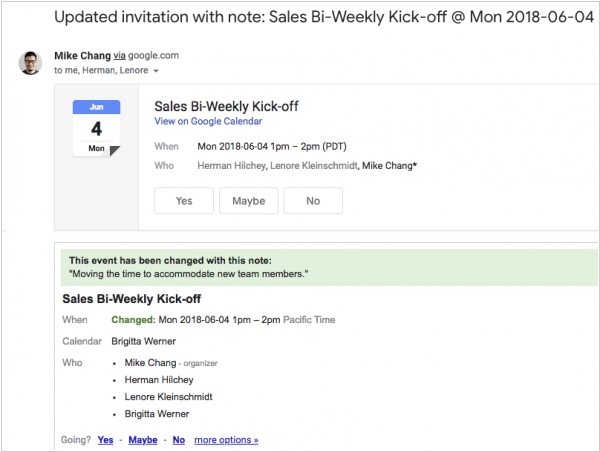
Google Calendar has introduced a valuable new feature. Whenever you modify or delete an event, a dialog box will now appear, allowing you to include a brief message that explains the reason behind the change and outlines the specific modifications. This message will be displayed at the top of the event details section on both the event page in Google Calendar and in the email notifications sent to your guests regarding the update. With this automatic dialog box prompt, more users are likely to provide explanations for their changes compared to before. This feature is currently being rolled out to all G Suite users and is expected to become available to everyone, regardless of whether their administrators have opted for the rapid release or schedule release schedule, within the next three days.
2017. Google redesigned Calendar for web
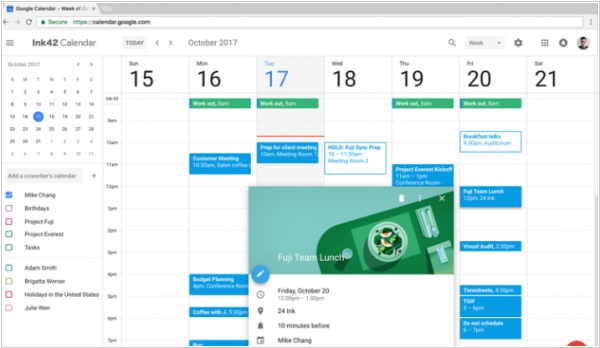
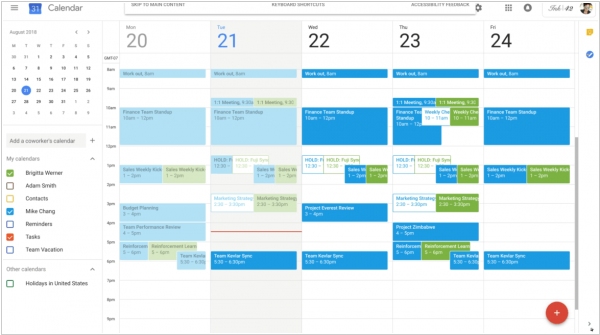
Google has introduced new updates for the web version of Google Calendar, granting PC users access to the sleek layout and user-friendly controls previously available exclusively on the mobile app version of this G Suite tool. With the redesigned calendar layout, the display automatically adjusts to optimize screen utilization. While most of the additional features accompanying the web redesign will prove beneficial for users within larger organizations, one particularly useful enhancement enables the simultaneous viewing of multiple users' calendars side by side for a selected day, facilitating schedule coordination. Moreover, Calendar Invites now support the inclusion of formatting and hyperlinks directly within the description field, while G Suite administrators gain the ability to provide more detailed information about conference rooms within their organization.
2017. Google Calendar improves integration with Microsoft Exchange
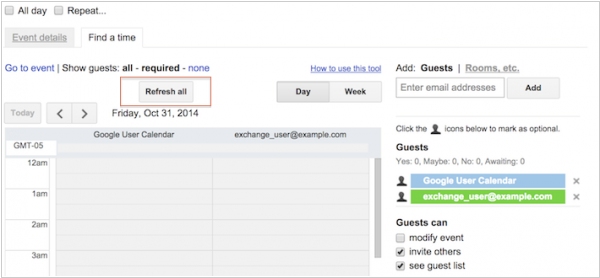
The latest update of Google Calendar brings good news for companies utilizing both Google's G Suite and its Microsoft alternative, Exchange, concurrently. With this update, G Suite administrators now have the ability to enable real-time visibility of free/busy information across both systems for their users. As a result, features such as Google Calendar's "Find a Time" and Outlook's "Scheduling Assistant" can seamlessly communicate with each other. Once these features are enabled by an administrator, they become accessible on Google Calendar for Android, iOS, and the web, as well as on all Outlook 2010+ clients across desktop, mobile, and web platforms.
2017. Alexa now works with G Suite calendar
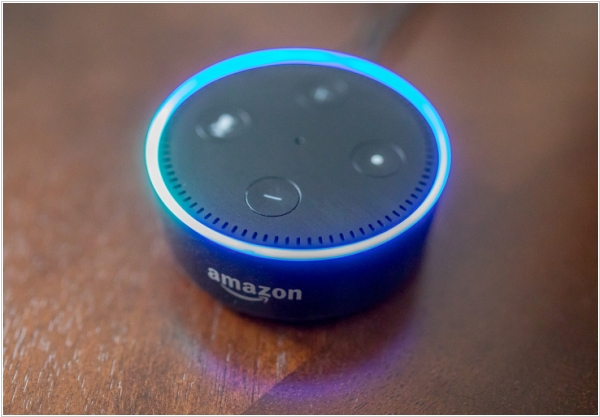
Amazon has expanded the capabilities of its connected speakers and other Alexa-powered devices by enabling integration with your G Suite calendar. This new functionality allows users to interact with their calendar using voice commands, making it convenient to obtain a daily overview or make modifications and additions effortlessly. By incorporating G Suite calendar support, Amazon aims to enhance the practicality of Echo devices and Alexa speakers in office settings and general business usage. It's worth noting that Alexa already supports various calendaring platforms. Google Calendar integration has been available since the launch of Alexa, and earlier this year, Amazon introduced support for Outlook Calendar (including Hotmail, MSN, and Live email accounts) as well as Office 365 Calendar for users with Exchange Online mailboxes. With the addition of G Suite calendar integration, Amazon continues to expand the capabilities of Alexa devices, catering to a wider range of user needs.
2016. Google Calendar added reminders on the web
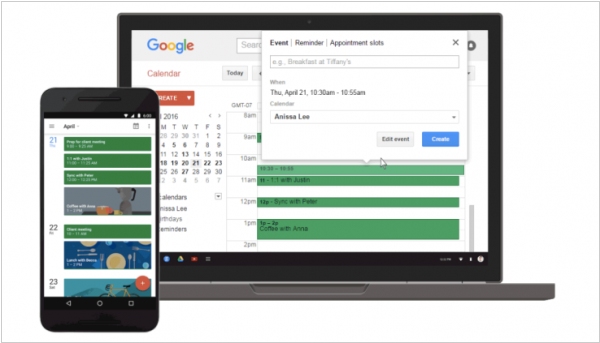
In December, Google introduced a to-do feature called Reminders to its Google Calendar apps for iOS and Android. More recently, this functionality has been extended to the web version as well. Reminders enhance Google Calendar's existing to-do list capabilities, allowing users to create tasks in their Gmail inbox, Google Keep, or calendar. These reminders appear prominently on top of the Google Calendar interface, serving as persistent notifications that urge users to complete pending tasks such as paying bills, making phone calls, or addressing other postponed responsibilities.
2015. Google acquired mobile calendar app Timeful
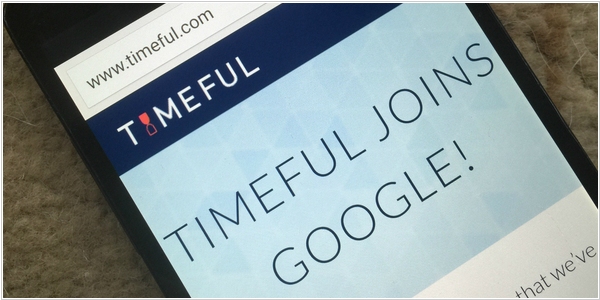
Google has completed the acquisition of Timeful, a calendar app designed to alleviate stress, enhance productivity, and foster a better work-life balance for individuals overwhelmed by numerous commitments. Timeful employed an innovative approach by initially analyzing users' daily scheduling patterns and utilizing notifications to prioritize tasks. For example, if a user expressed their intention to visit the gym three times a week, the app would suggest and send reminders to schedule these sessions during their available time slots. With the integration of Timeful's technology, Google aims to implement its features across various products such as Inbox, Calendar, and other future endeavors, as stated by Alex Gawley, Director of Product Management, in a blog post.